One connected canvas
The three sides are painted as a single unit. A big miss streaks off the top corner and dies out down the side. A hole-in-one sends comets racing around the whole setup. The sides have customizable, zone-specific effects!
Golf simulatorsWindowsGSPro
Every shot,
in light.
SimLight turns the LED strips around your golf simulator into lighting that reacts to every shot: ball ready, impact, where it landed, and how your round is going.
Instant download · Windows · One-time $149, free maintenance updates

You buy the SimLight Golf software from us. The hardware - lights, controller, and power - you buy yourself, and how much you light is up to you. We point you to exactly what to get.
What type of setup are you looking to install?
One strip over the screen, across the ceiling, or along the ground.
Left side, top, and right side, as one connected canvas.
The full surround, plus extra strips around your hitting mat, a bar, a TV, and beyond.
Add about $150 of hardware for each extra lighting area (mat, bar, or TV). Same software either way. Prices before tax; you buy the hardware yourself.
Take the 60-second quiz and we'll show you exactly what to buy for your bay. No subscription.
Overwhelmed? Not sure what to buy?
Email us a few pictures and a description of what you envision for your setup: your bay dimensions, where your outlets are, what you want lit, and anything else. We'll help you put a parts list together.
Email us your setup →See it
Watch the lights instantly react to every shot, captured live.
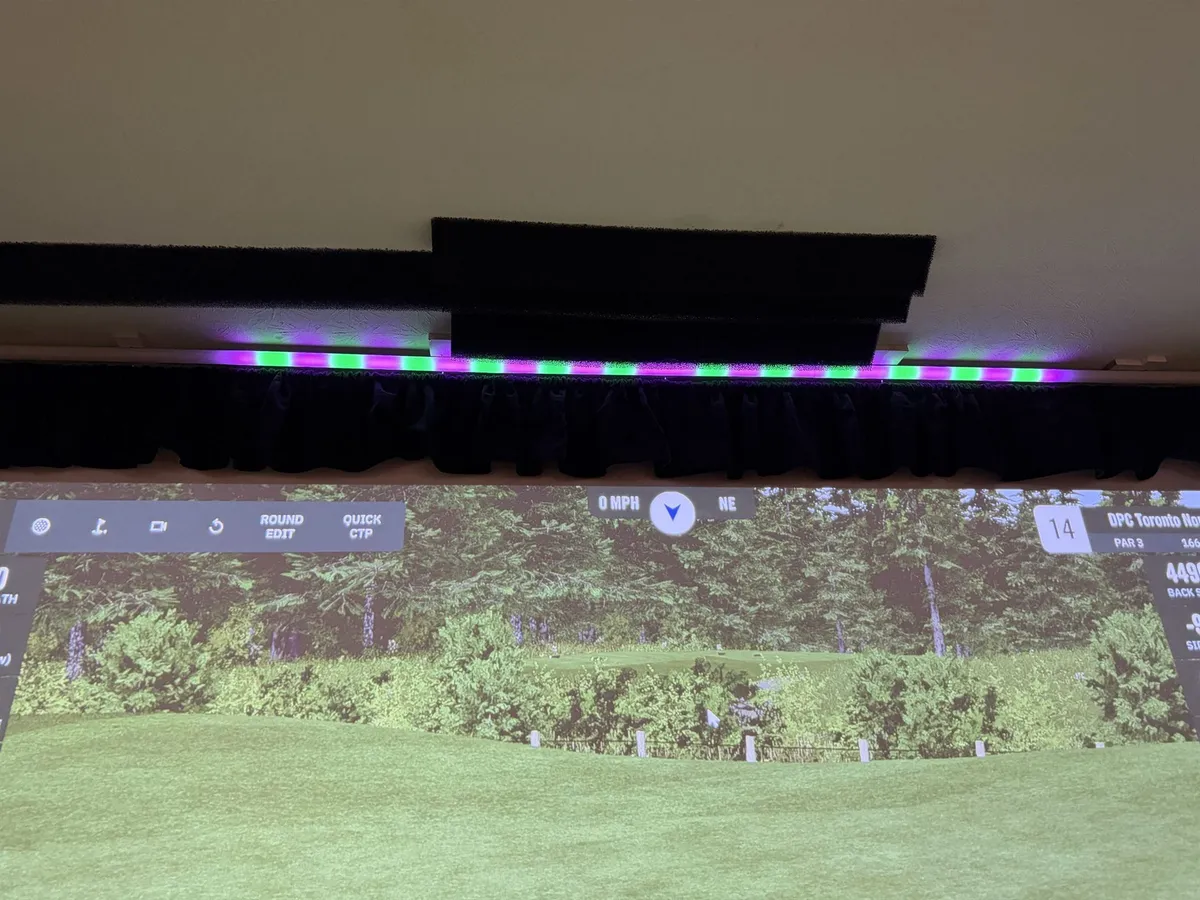
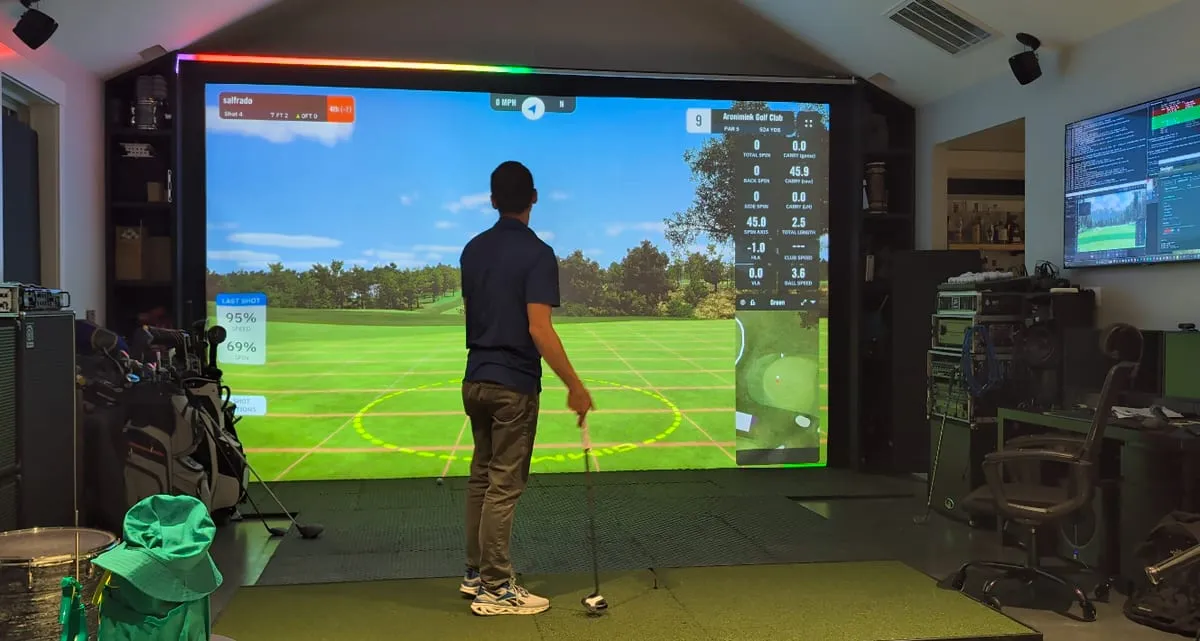
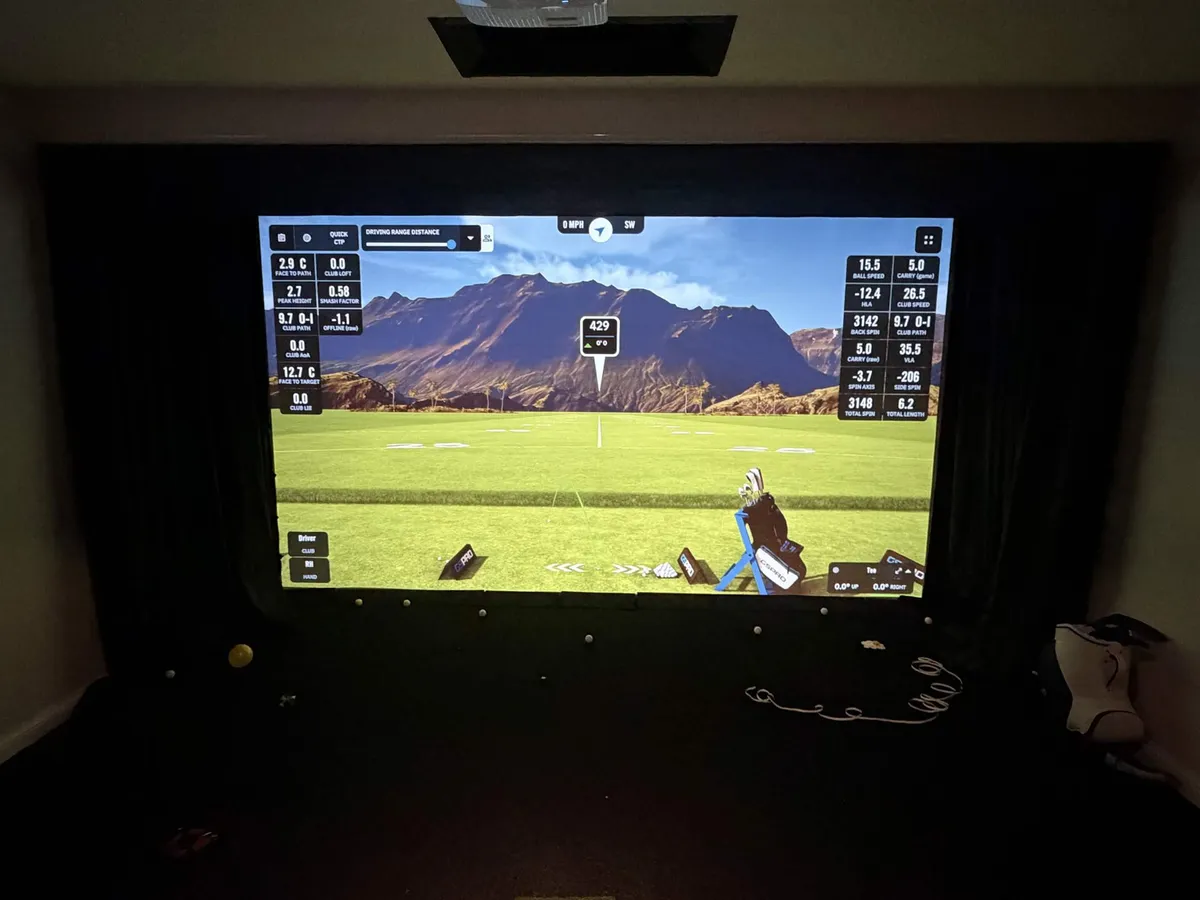
What lights up
Every effect is driven by your real shot data: ball speed, horizontal launch angle, spin, total carry, and offline carry. Switch off GSPro's on-screen data tiles and read your shots in the light instead.
Tap an effect to play it on the strip
Pure strikes: a flushed shot fires the room with clean, confident green.
The strip greets your ball the instant it's on the mat, in your color, so you always know it's your turn.
Works with any launch monitor that reports ball-ready to GSPro.How it works
Lights, a controller, a power supply, and a diffuser. We point you to what to buy, then you mount it in your bay. See what you need.
Download, install, point it at your lights. Runs in the background.
Open GSPro, swing, and watch the room come alive.
New: bay surround
SimLight runs light down your side walls and across the ceiling, so the room around you reacts to every shot, not just a strip over the screen. It is a free software update: most owners already have the controller and power supply, just add some more lights.
The three sides are painted as a single unit. A big miss streaks off the top corner and dies out down the side. A hole-in-one sends comets racing around the whole setup. The sides have customizable, zone-specific effects!
One long run, two runs, or one per side. SimLight shows you the frame rate you will get. The quiz picks the wiring that fits your bay.
Add lights around your hitting mat, under a bar counter, or behind a TV. Each additional area is customizable in SimLight: mirror the primary effects, keep it hands-off with a static glow, or build a custom SimLight effect profile.
What you need
SimLight Golf is the software. Here's exactly what to get.
Windows 10/11 (64-bit), about 200 MB free. SimLight adds almost no load, so anything that runs GSPro smoothly is plenty.
Almost everything sizes to one number: your total install length, the full run of strip you plan to light. For a single strip that is usually your screen width; for a bay surround it is the two sides plus the top, added up. Size the strip and the diffuser to that.
A small WLED controller is the brain that turns SimLight Golf's signal into light.
Get it on Amazon →The addressable strip that lights your bay. Buy it to your total install length: your screen width for a single strip, or the sides plus the top for a full surround. It cuts to length during install, and SimLight Golf maps out the layout later.
Get it on Amazon →Powers the controller and your LED strip runs.
Get it on Amazon →What turns a row of blinding dots into the smooth glow you see in the videos. Worth getting right. Grab the one we use, or read how to choose.
Surrounding the whole bay? A full left, top, and right surround runs on the same 4-output controller and power supply, just more strip cut to each side, plus a few connectors to turn the corners. The surround guide covers how much to buy and how to wire it, or let the setup quiz help you start planning your parts list.
New to lighting a sim? Our golf simulator lighting guide covers hitting-area lights, launch monitor quirks, and where LED strips should go.
Some links on this page are affiliate links. If you buy through them, we may earn a small commission at no additional cost to you. We only link hardware we've tested or recommend, and the commission doesn't change our recommendations.
The diffuser is the difference between "a strip of LEDs" and "a wall of light." As a rule, the bigger the profile, the smoother and softer the glow, but the best choice also depends on where you mount each strip and which way you aim its light. Point each strip into your bay: 45° down toward the ball, or 90° straight off the surface it is mounted on. For a full surround, that usually means the two side strips angle in toward each other (or toward the hitter), while the ceiling strip points straight down at the floor. On a side wall, a 45° angle throws light nicely toward the hitter; or pick a diffuser that aims straight off the wall so the two sides face each other.
Bends and wedges into place, perfect for tucking the strip between ceiling panels, into a seam, or around a curve. Reach for this when you don't have a clean flat surface or want the strip hidden in a gap you already have.
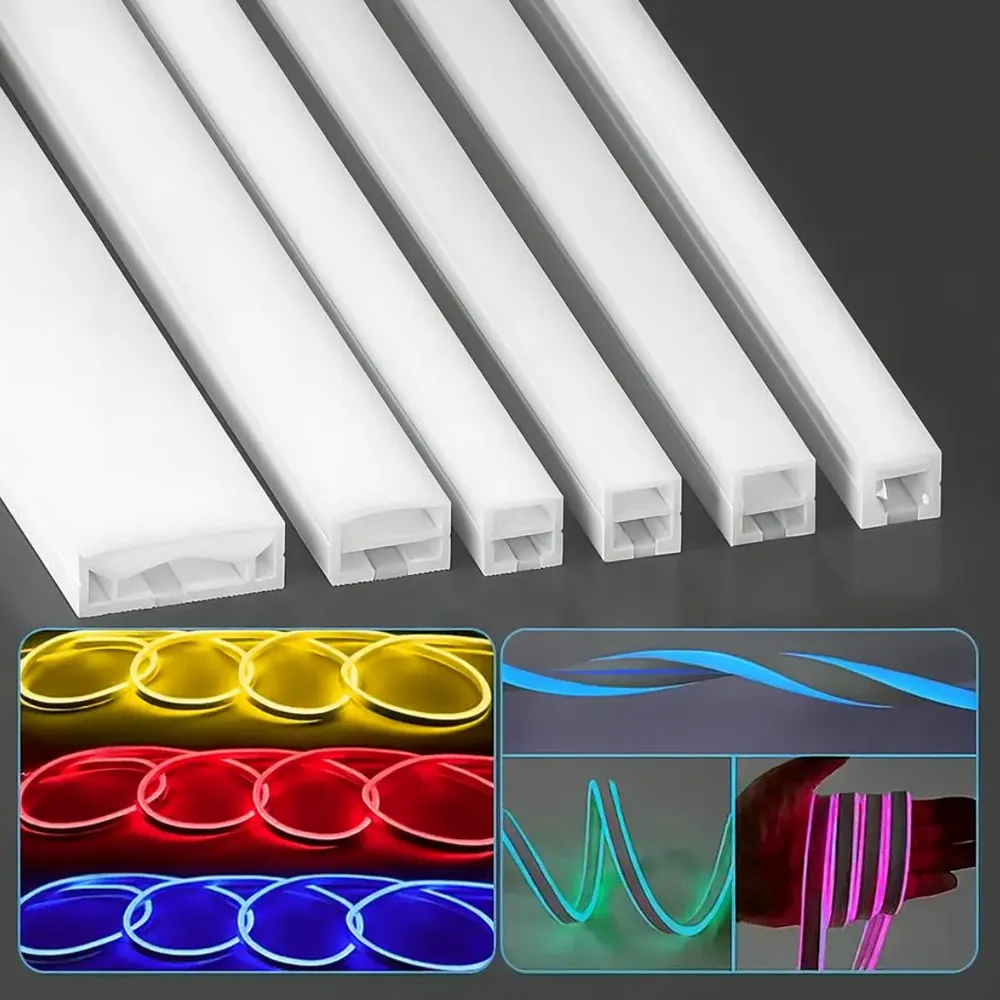
Sturdier, sharper lines. Common shapes: 45° corner profiles for shooting down toward your ball, rectangular surface-mount for shooting straight out, and flush/recessed for the cleanest built-in look. If you'd rather not weigh it up, the 45° aluminum channel we run (and our beta testers bought) is a safe default. Mount it with the included screws and brackets, or 3M tape.
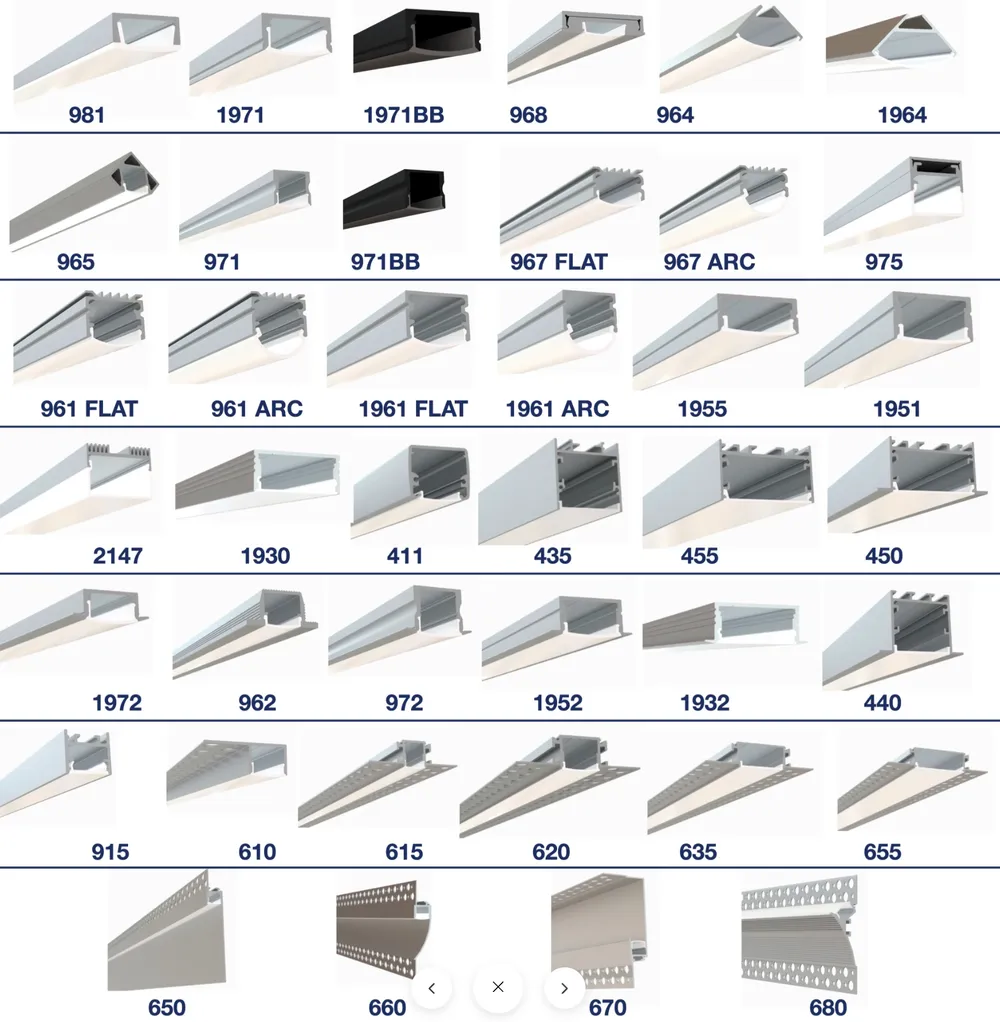
Where beta testers mounted theirs
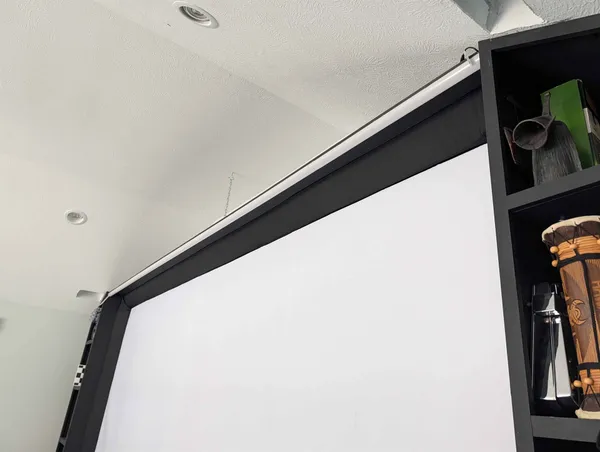
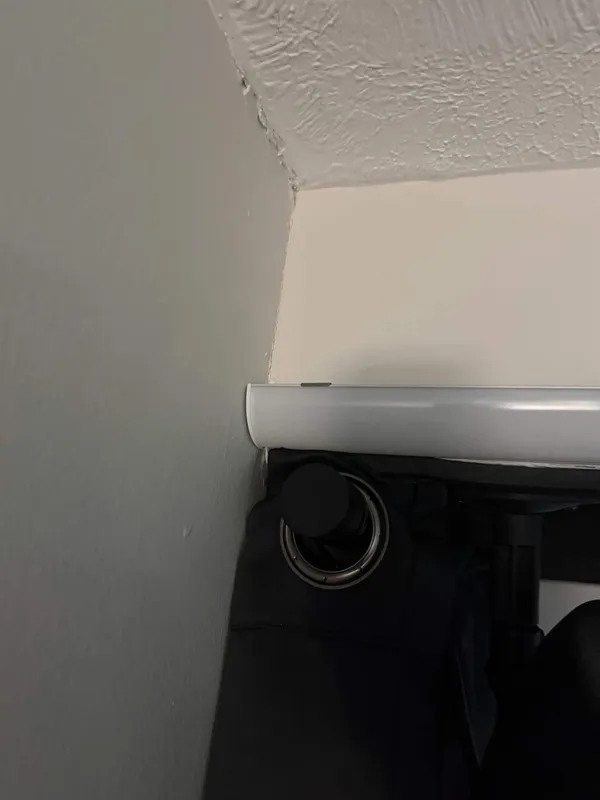
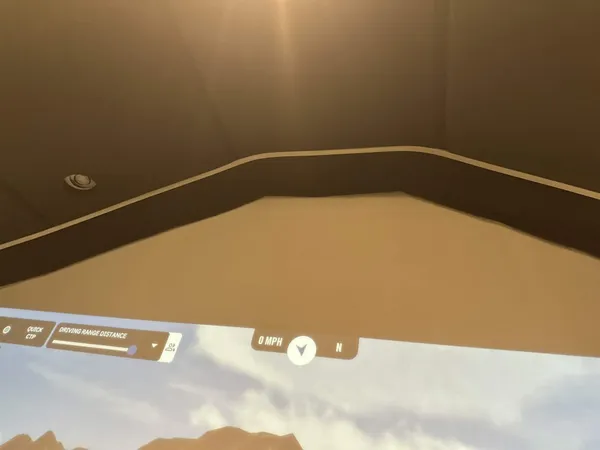
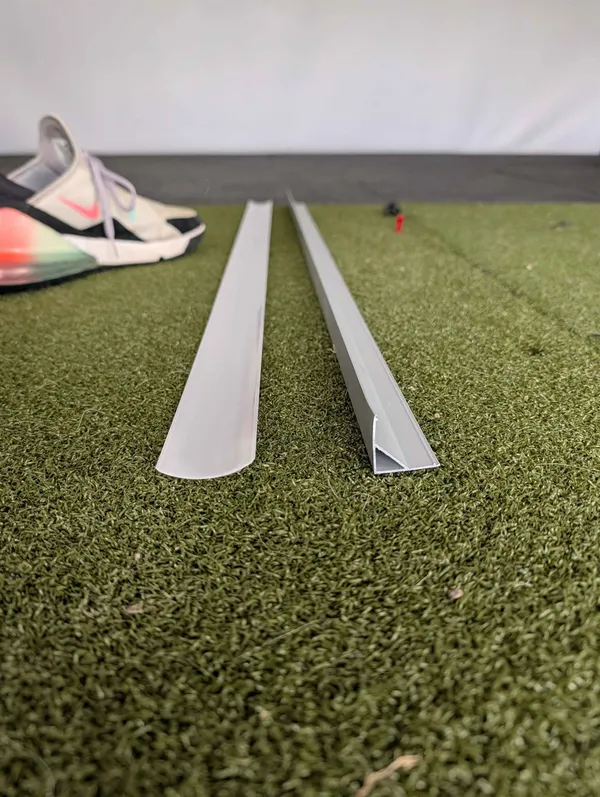
Diffuser profiles range from cheap to expensive. Cheaper ones are generally smaller and, as a result, look worse (the flexible silicone option linked above being the exception), while pricier ones are generally larger and look better. Whichever you choose, order it at least as long as your installed strip runs.
Some links on this page are affiliate links. If you buy through them, we may earn a small commission at no additional cost to you. We only link hardware we've tested or recommend, and the commission doesn't change our recommendations.
Compatibility
From the beta
Five golfers ran SimLight Golf in their own sims for a month, across different rooms and launch monitors. A few of their words.
My first thought was that it might feel a bit gimmicky. Totally unfounded. Now it's in, I really like it.
Honestly way cooler than I thought, and the install ended up so clean.
I can't tell you how much I love the ready light. It makes explaining it to new people so much easier.
The lights didn't distract me at all while I played, which was the thing I'd been worried about.
One price
Future versions with major new features will be paid upgrades, but always discounted for existing owners.
Remember: the $149 is the software. The hardware, bought separately, is extra.
Stay in the loop
New effects, product updates, and the occasional setup tip, straight to your inbox.
Today SimLight Golf works with GSPro, and the ball-detected effect works with any launch monitor that reports ball-ready to GSPro. Support for more simulator software is on the way. Tell us what you run and help us decide what to add next.
FAQ
Yes. SimLight Golf reads your shots from GSPro, so it's required. It's tested and working with the latest public stable version of GSPro; on beta builds, behavior may be unpredictable.
No. SimLight Golf isn't tied to any particular launch monitor. It's driven by GSPro, and every effect runs off the shot data GSPro produces. However, we only vouch for setups we've actually tested. Confirmed working: the Uneekor family, the Foresight family, Square Golf, ProTee VX, and monitors connected through GSPro's Open API. If yours isn't listed it may still work fine. Reach out and we'll help confirm it and add it to the list.
No. SimLight Golf is software. We point you to exactly what to buy and where, so you get parts we know it works with, without the guesswork. See what you need.
No. Install the app and point it at your lights with a step-by-step setup wizard, and you're done. Installing the lights themselves in your bay is a small evening or weekend project.
No. The installer is code-signed, but brand-new software still trips Windows’ blue SmartScreen warning until it builds up a download history, which is normal for any new app. Click More info → Run anyway. If your browser quarantines the file, open Windows Security → Virus & threat protection → Protection history, find SimLight Golf, and choose Allow. If one browser blocks the download, another usually works.
Almost always normal: the strip only fully lights once SimLight Golf has configured the controller. If you tested with just the WLED phone app you may see only the first section light. Run the SimLight Golf setup wizard and it sorts itself out.
You need a genuine addressable strip on a WLED controller. Pre-made strips with their own app or remote (Govee and the like) use closed protocols and can’t do the real-time, per-LED streaming SimLight Golf relies on. See what you need.
You get the full app, your license key, and free maintenance updates. Major future versions with big new features are paid upgrades, always discounted for existing owners.
If SimLight Golf won't work with your setup, email us within 14 days of activating your license key and we'll refund you.
GSPro online and multiplayer rounds (scramble, match play, and the like) do drive the lights, so your strip reacts to shots and scores as you play. That said, online play is still something we're actively refining: a few multiplayer edge cases (like how team scores light up across players in a scramble) are still being worked out. If you play online a lot, tell us what you run so we can prioritize it.